In Ethernet networks, multiple physical links between devices may appear to provide more bandwidth and enhance reliability.
However, this approach creates a problem.
Spanning Tree Protocol (STP) prevents Layer 2 loops by blocking redundant links.Without EtherChannel
When several parallel links exist between switches, STP disables the extra ones to avoid loops.
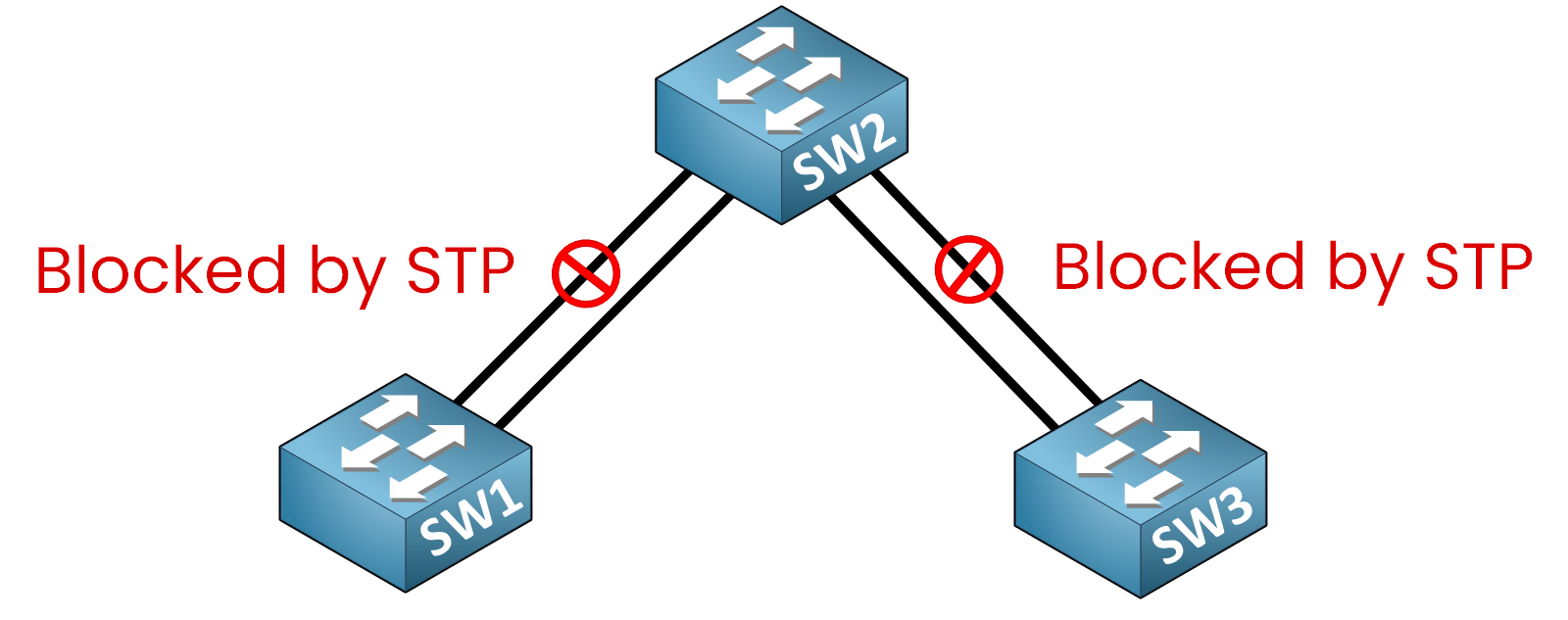
Figure 1 – Many Physical Links Without EtherChannel
🔴 Only one link per redundant pair remains active.
🔴 Extra links stay idle, wasting available bandwidth.
If we look at SW2, we can verify this behavior using the following command:
SW2# show spanning-tree

Interface        Role Sts Cost      Prio.Nbr Type
---------------- ---- --- --------- -------- ----
Gi0/1            Root FWD 4         128.1    P2p
Gi0/2            Altn BLK 4         128.2    P2p
Gi0/3            Desg FWD 4         128.3    P2p
Gi0/4            Altn BLK 4         128.4    P2p
If we examine the output on SW2, we can see that:
The interfaces highlighted in green (Gi0/1 and Gi0/3) are in Forwarding (FWD) state.
The interfaces highlighted in red (Gi0/2 and Gi0/4) are in Blocking (BLK) state.
This means that although four physical links are connected, only two are actively forwarding traffic.
The other links remain unused due to STP.As a result, adding more physical links does not improve bandwidth utilization.
With EtherChannel
EtherChannel solves this limitation by bundling multiple physical links into a single logical channel.
From the perspective of STP, routing protocols, and the switch itself, this bundle appears as one single interface.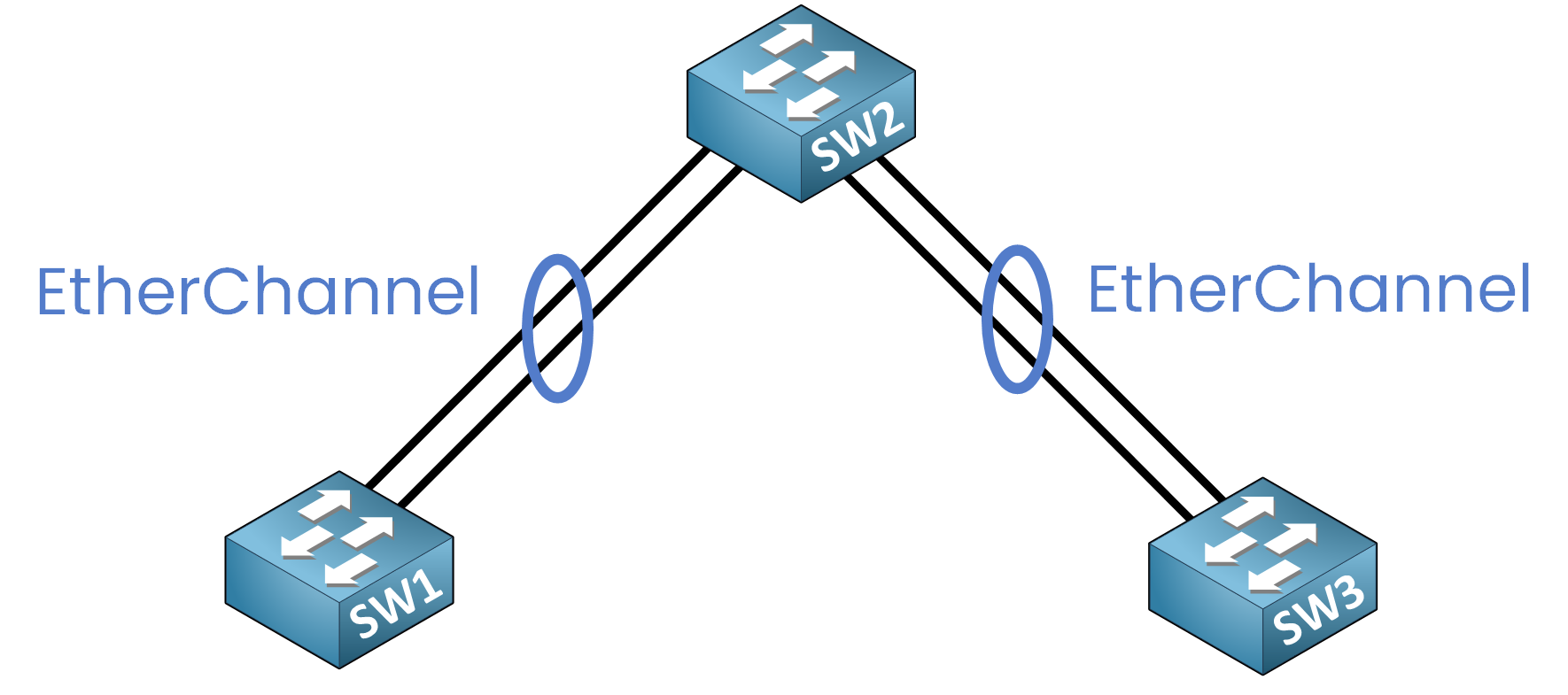
Figure 2 – EtherChannel Logical Bundling
✅ All links are active together, providing aggregated bandwidth.
✅ If one link fails, the remaining links continue forwarding traffic.
✅ STP does not block individual member links because it sees only one logical interface.
If we now look again at SW2, we observe a different result:
40 % Complete: you’re making great progress
Unlock the rest of this lesson
If you’d like to continue your CCNA journey, simply create your free account.
Access all CCNA lessons
Practice with hands-on labs
Train with Practice exams and Quizzes
Progress tracking in your dashboard
Made by network engineers - CCNP certified
learners globally