When two devices connect, they need to agree on two key things: speed and duplex mode.
Speed determines how fast data can be transmitted. Common values are 10 Mbps, 100 Mbps, 1 Gbps, or higher.
Duplex defines how communication occurs:
Half-duplex: data can only be sent or received at one time (like a walkie-talkie).
Full-duplex: data can be sent and received simultaneously (like a phone call).
Let's look at each of these in detail.
Answer the question below
When two devices are connected, each one uses a network interface. On PC1, the interface is Eth0, and on SW1, it is G0/0. These interfaces define how fast each device can send and receive data.
PC1 (Eth0) supports 10 Mbps and 100 Mbps.
SW1 (G0/0) supports 10 Mbps, 100 Mbps, and 1000 Mbps.
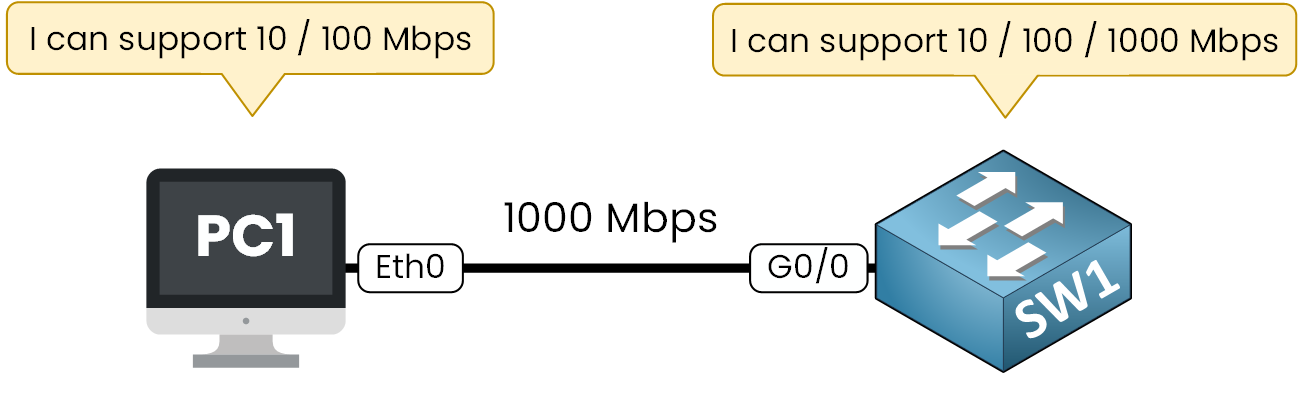
Figure 1 – Speed Capabilities
The two devices need to agree on the fastest speed that they both support before they can communicate.
You can see above that the cable linking the two devices is only the medium that carries the signal. For example, a Cat5e or Cat6 cable can support up to 1 Gbps or more.But the two interfaces determine the actual link speed based on what they can agree on.
When the devices connect, they start a process called auto-negotiation. Each side advertises the speeds it supports, and then they agree on the highest speed that both have in common.
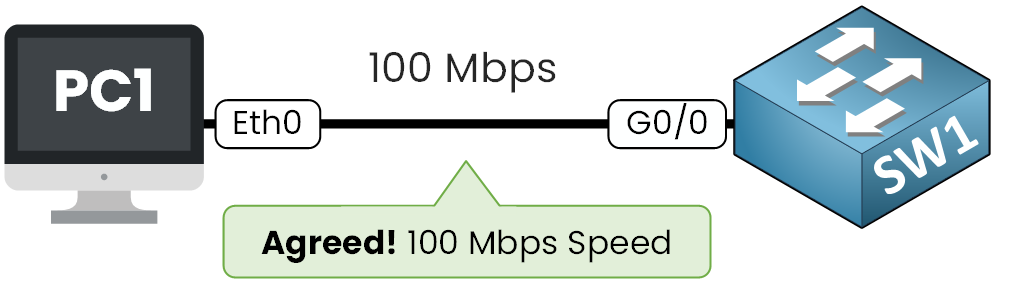
Figure 2 – Speed Agreement
In this example, the link between PC1 and SW1 operates at 100 Mbps. Even though the switch could reach 1000 Mbps, PC1 is limited to 100 Mbps, and both devices must match to communicate.
After the devices agree on the speed, they must also decide on the duplex mode.
You might be wondering: what exactly is a duplex?
Answer the question below
What do devices agree on before sending data?
Duplex mode defines how data flows between two devices.
In Half-Duplex, only one side can send at a time, while the other listens.
This is like a walkie-talkie: one device speaks, the other listens, but never both at once.
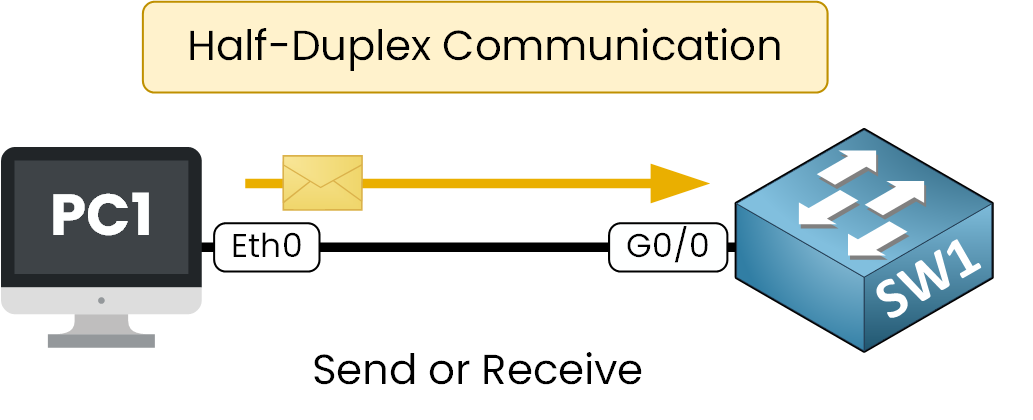
Figure 3 – Half-Duplex Communication
Half-duplex was common in older networks with hubs. Now, it’s not used in modern Ethernet networks.
In Full-Duplex, both sides can send and receive at the same time.
Like a phone call, it allows simultaneous communication without collisions.
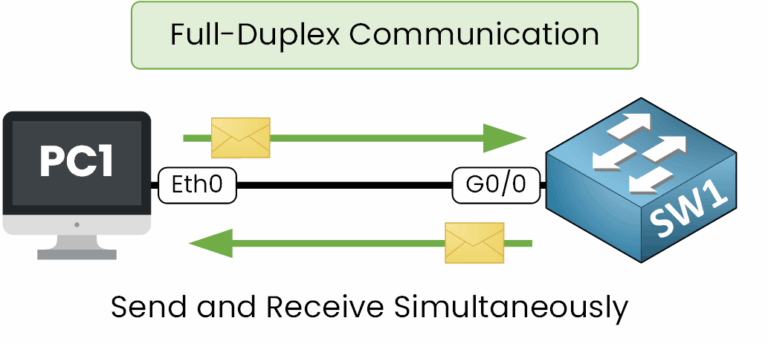
Figure 4 – Full-Duplex Communication
Full-duplex is the most efficient mode and is always preferred in modern enterprise networks. By default, switches and routers operate in full-duplex mode.
Now that you understand both speed and duplex, the next step is to see how devices negotiate these parameters automatically.
Answer the question below
Which device type used half-duplex in older networks?
Now that you understand speed and duplex, the next step is to see how devices decide these parameters automatically.
This process is called auto-negotiation (defined in IEEE 802.3u, Clause 28). You don’t need to memorize the IEEE reference, it’s just for your information, but it’s good to know where this process comes from.
In auto-negotiation, both devices advertise what they are capable of.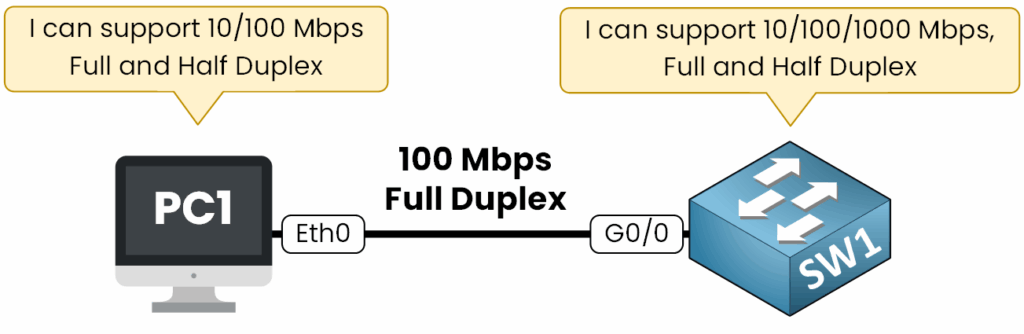
Figure 5 – Auto-Negotiation Process
On PC1, the interface can operate at 10 or 100 Mbps and supports both half-duplex and full-duplex.
On SW1, the interface can operate at 10, 100, or 1000 Mbps and also supports both duplex modes.
Once these capabilities are exchanged, the negotiation process takes place in three simple steps:
Each device advertises its supported speeds and duplex modes.
They compare their capabilities and select the highest common speed.
Finally, they agree on the duplex mode, where full-duplex is always preferred over half-duplex.
In our example, the link runs at 100 Mbps full-duplex. This is the fastest speed PC1 can handle, and both devices choose full-duplex.
I will show you in practice how we configure Auto-negotiation in speed and duplex:
Viewing auto-negotiation in practice
Let’s now check how this looks on our devices.
On PC1, the interface is set to Auto by default for both speed and duplex.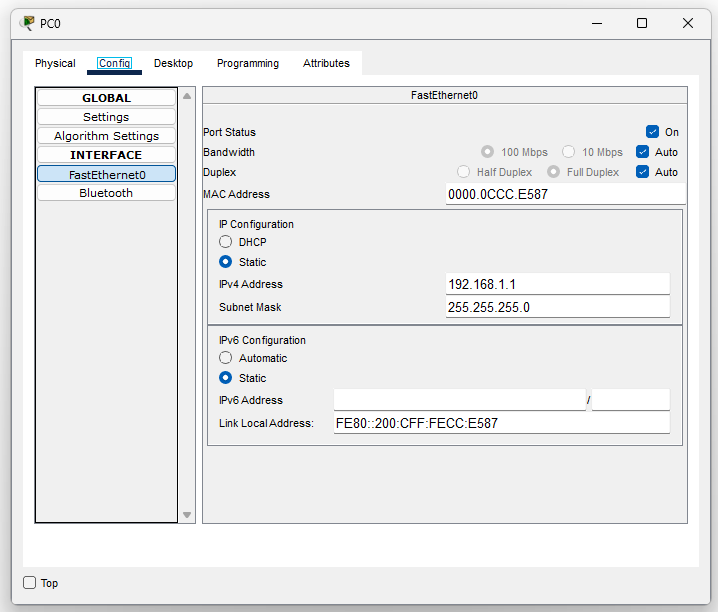
Figure 6 - Auto-Negotiation on PC1 in Packet Tracer
On Cisco switches, auto-negotiation is also enabled by default.
We can confirm this with:SW1# show interfaces g0/0 status Port Name Status Vlan Duplex Speed Type Gig0/0 connected 1 auto auto 10/100BaseTXThis confirms that the interface is configured for automatic negotiation (auto) of both speed and duplex.
40 % Complete: you’re making great progress
Unlock the rest of this lesson
If you’d like to continue your CCNA journey, simply create your free account.
Access all CCNA lessons
Practice with hands-on labs
Train with Practice exams and Quizzes
Progress tracking in your dashboard
Made by network engineers - CCNP certified
learners globally