In this lesson, I’m going to show you the main WLAN components that make our wireless networks work every day.
To communicate wirelessly, your device needs a Wireless Network Interface Card (NIC). Most modern laptops, smartphones, and tablets have built-in wireless NICs that include a radio transmitter and receiver.
But what if your device doesn’t have a built-in NIC? Don’t worry, you can use a USB wireless adapter that adds wireless capabilities in seconds.
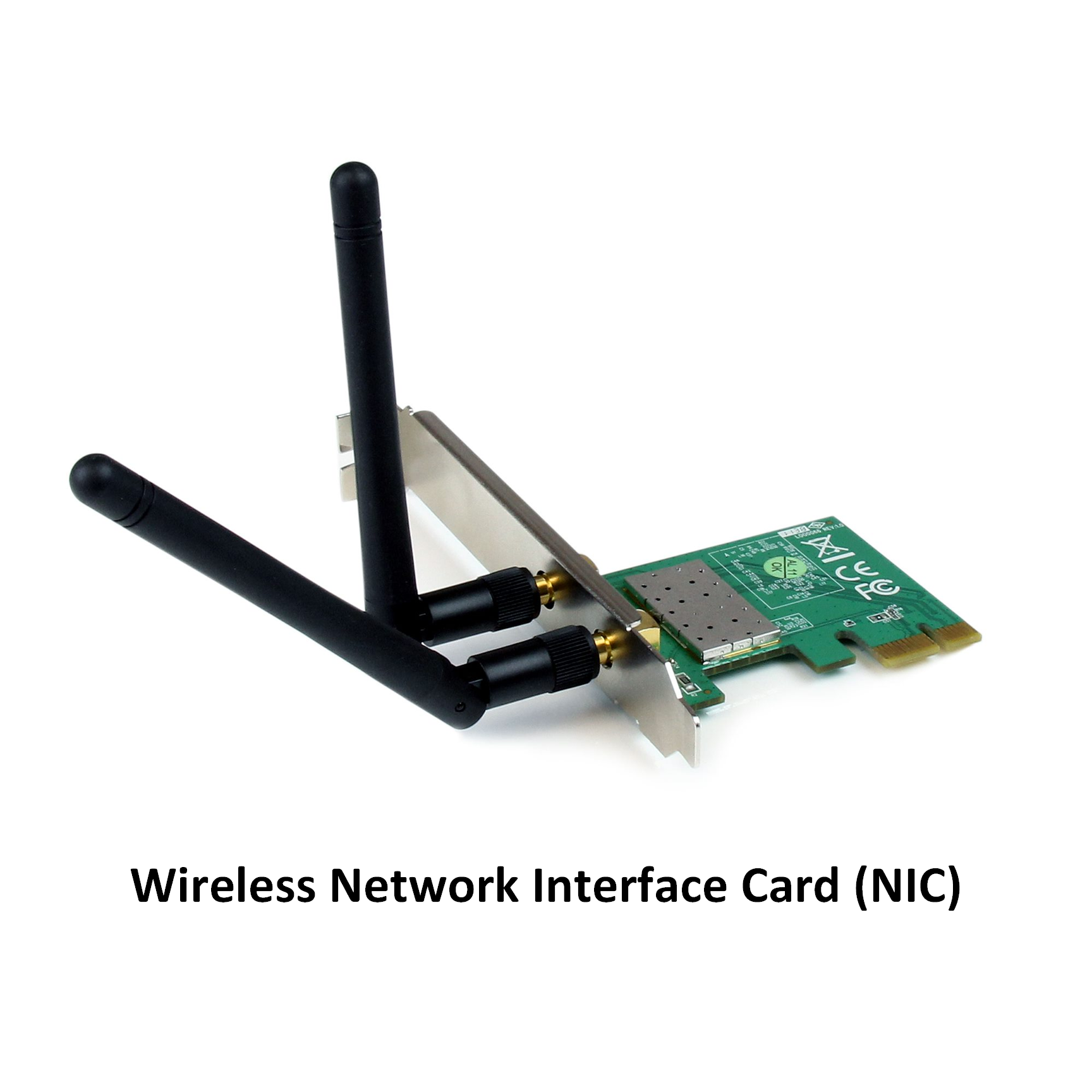
Figure 1 – Wireless Network Interface Card (NIC)
Did you know ? Many wireless NICs have hidden antennas. That’s why you don’t see any visible antenna on your smartphone or laptop, but it’s still connecting seamlessly to Wi-Fi.
Answer the question below
When you set up Wi-Fi at home, the heart of your network is the wireless router. It does more than just provide Wi-Fi—it’s a multi-purpose device.
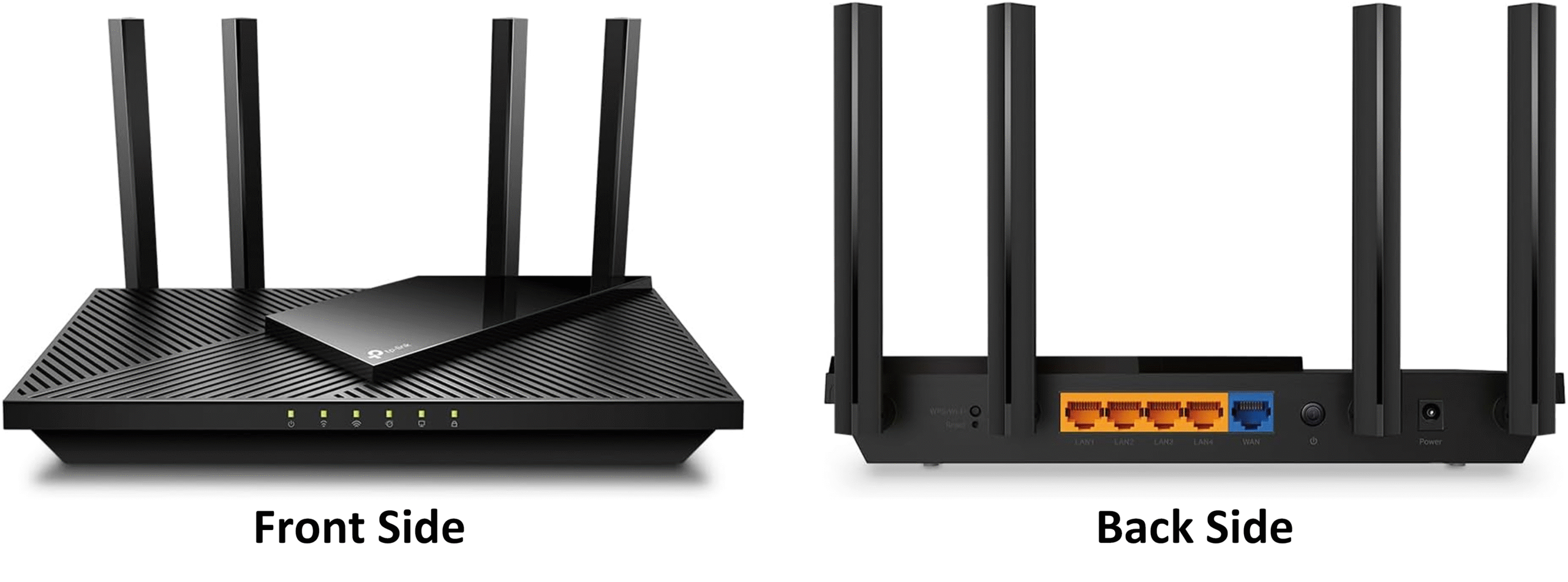
Figure 2 – Wireless Home Router (Front and Back View)
Here, for example, it's a TP-Link AX1800 wireless router.
Functions of a Wireless Router
Access Point (AP): Provides Wi-Fi connectivity using one standard from the 802.11a/b/g/n/ac/ax family.
Switch: Offers Ethernet ports for wired connections.
Router: Acts as the default gateway, allowing your devices to connect to the internet.
This little device broadcasts a Service Set Identifier (SSID) the name of your Wi-Fi network so your devices can discover and connect to it.
⚠️ If you have a big house, you may have "dead zones" where you're too far away from your wireless router to connect to the Wi-Fi. You may need to extend your wireless coverage by using a Wi-Fi range extender. Extenders repeat the router’s signal to cover a wider area, but they’re not the most efficient solution more on that soon!
Answer the question below
What device gives you Wi-Fi at home?
An Access Point (AP) extends your Wi-Fi network and allows wireless devices to connect seamlessly. While home routers have built-in APs, professional setups like offices or enterprise campuses use dedicated APs to ensure optimal coverage.
40 % Complete: you’re making great progress
Unlock the rest of this lesson
If you’d like to continue your CCNA journey, simply create your free account.
Access all CCNA lessons
Practice with hands-on labs
Train with Practice exams and Quizzes
Progress tracking in your dashboard
Made by network engineers - CCNP certified
learners globally